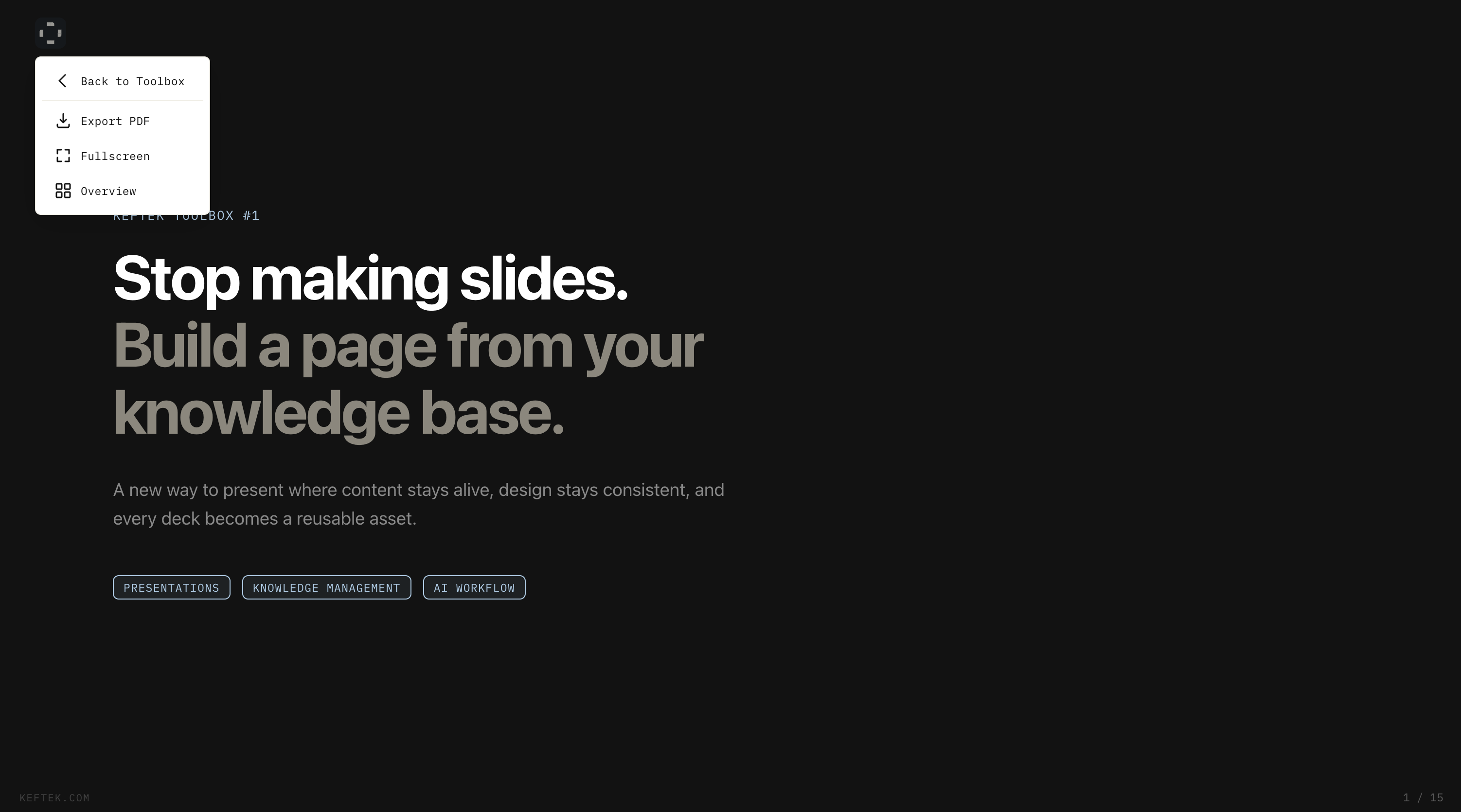
AI agents can now generate presentations automatically. Claude integrates with PowerPoint. Gemini creates full decks from prompts. Google Slides offers Duet AI. Slide editing tools continue advancing.
However, a significant limitation persists: presentations remain heavy files with trapped knowledge disconnected from source materials.
Here's an alternative workflow: instead of traditional slide editors, write your design guidelines, reference your knowledge base, and ask Claude Code to generate a single HTML page. The output maintains 16:9 ratio, keyboard navigation, and PDF export capabilities — while pulling content directly from working documents rather than relying on copy-pasted material.
Your Content Stays Alive
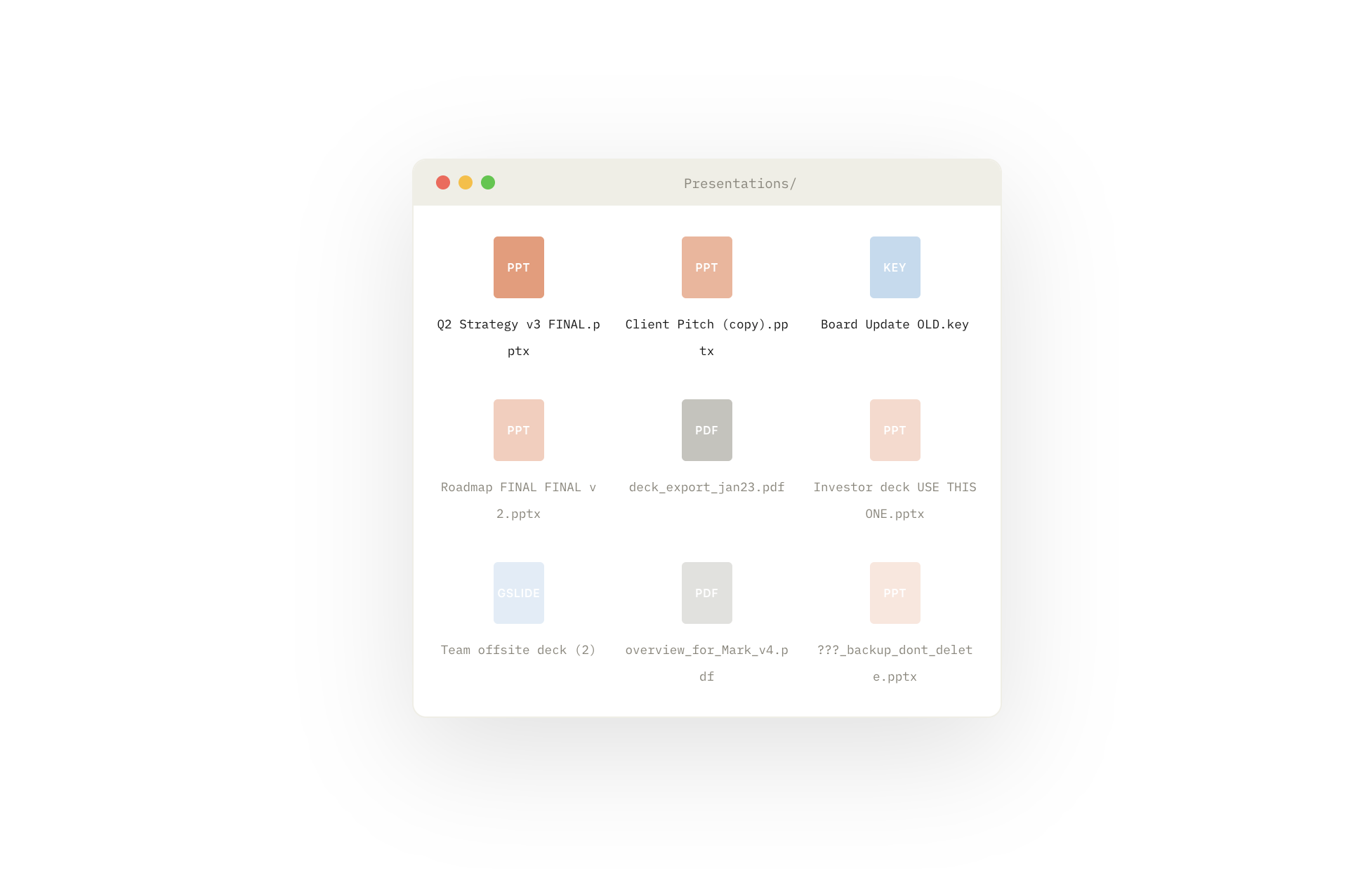
The primary challenge with traditional slides is not design quality — it's that content dies the moment you paste it in. When a source document updates weeks later, presentation slides remain unchanged, creating multiple conflicting versions of information.
Across teams, dozens of quarterly decks capture knowledge snapshots. Months later, stakeholders find outdated presentations with unclear accuracy status, resulting in collections of presentations that inspire little confidence.
When presentations pull from source files — whether Notion, markdown knowledge bases, or shared folders — this problem disappears. Knowledge exists in one location, with presentations serving as views on top. Updating the source and regenerating the page eliminates copy-paste drift and outdated decks.
This extends to data visualization. Rather than screenshotting charts and pasting them, presentations read from CSVs, APIs, or databases, rendering visualizations live. Numbers update automatically with data changes.
The mental shift: the presentation is not the artifact. Your knowledge is the artifact. The presentation is just one way to display it.
Design Once, Apply Forever
Traditional slide workflows begin with templates that gradually deteriorate. Font choices change. Screenshots with incompatible backgrounds get pasted. Text boxes shift off-grid. Visual inconsistency accumulates.
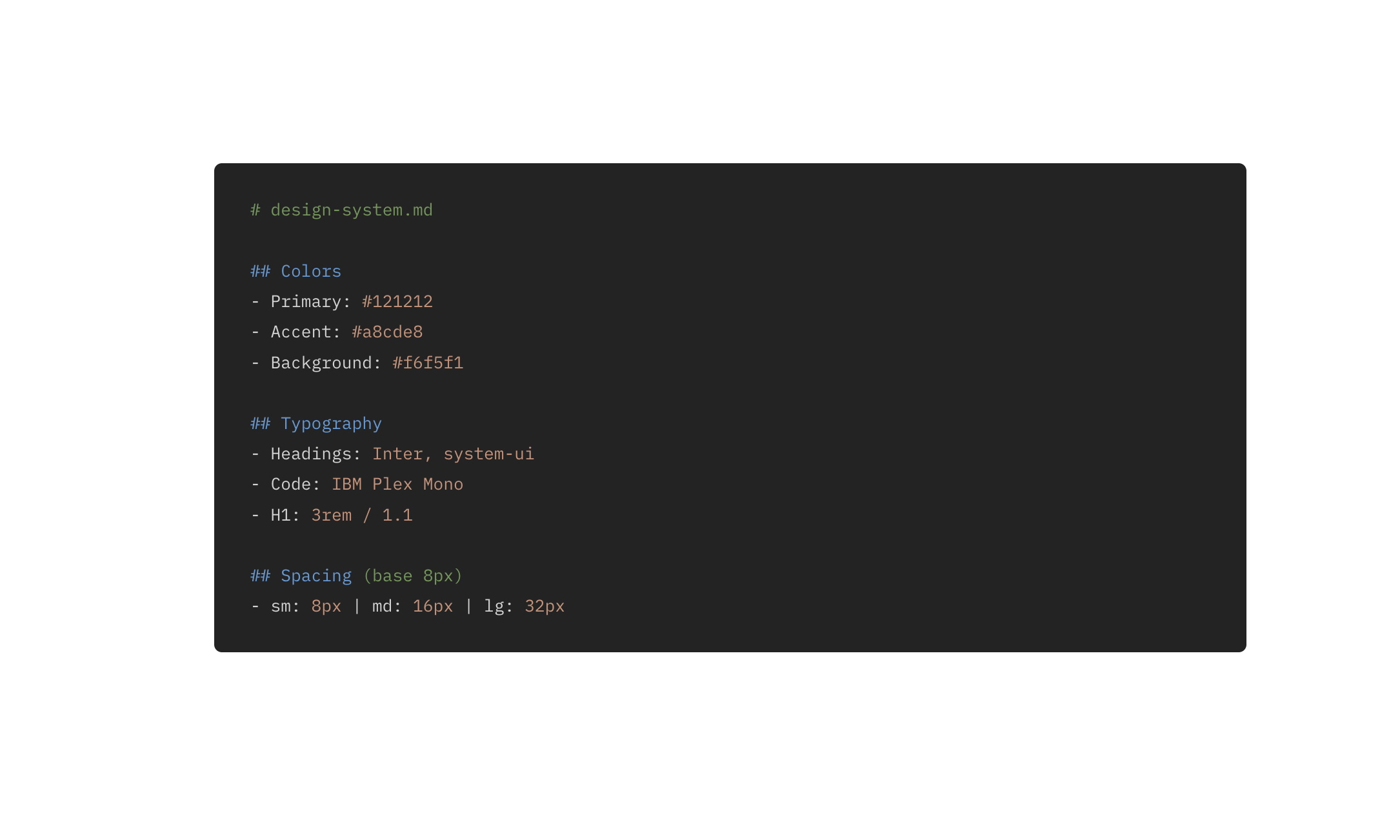
With the HTML approach, define your design system once in a text file: colors, typography, spacing scales, layout rules — all in one location.
Every generated presentation thereafter inherits identical rules. Design decisions don't repeat. Font selection becomes automatic.
When the design system improves later — better contrast, cleaner hierarchies, tighter spacing — all future presentations benefit. Investment compounds in the system rather than individual decks.
Version Control as a Bonus
Binary .pptx files prevent meaningful change tracking between versions. Determining what shifted between Tuesday and Thursday requires opening both files manually.
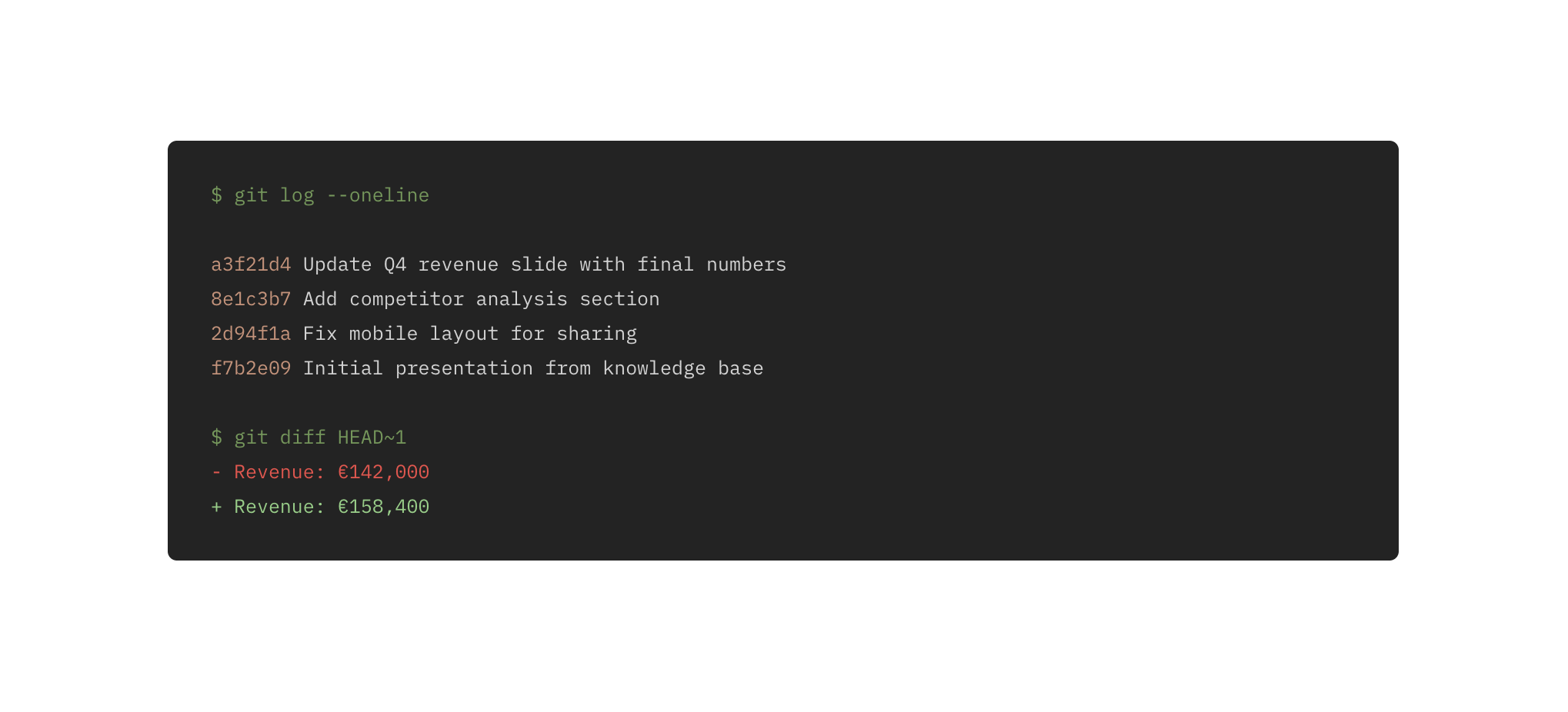
HTML files are text-based and compatible with git. Diffs show which lines changed, and commit messages explain reasons. For those already using version-controlled documents, this adds valuable transparency about what changed, when, and who made changes.
The Trade-off: Collaboration
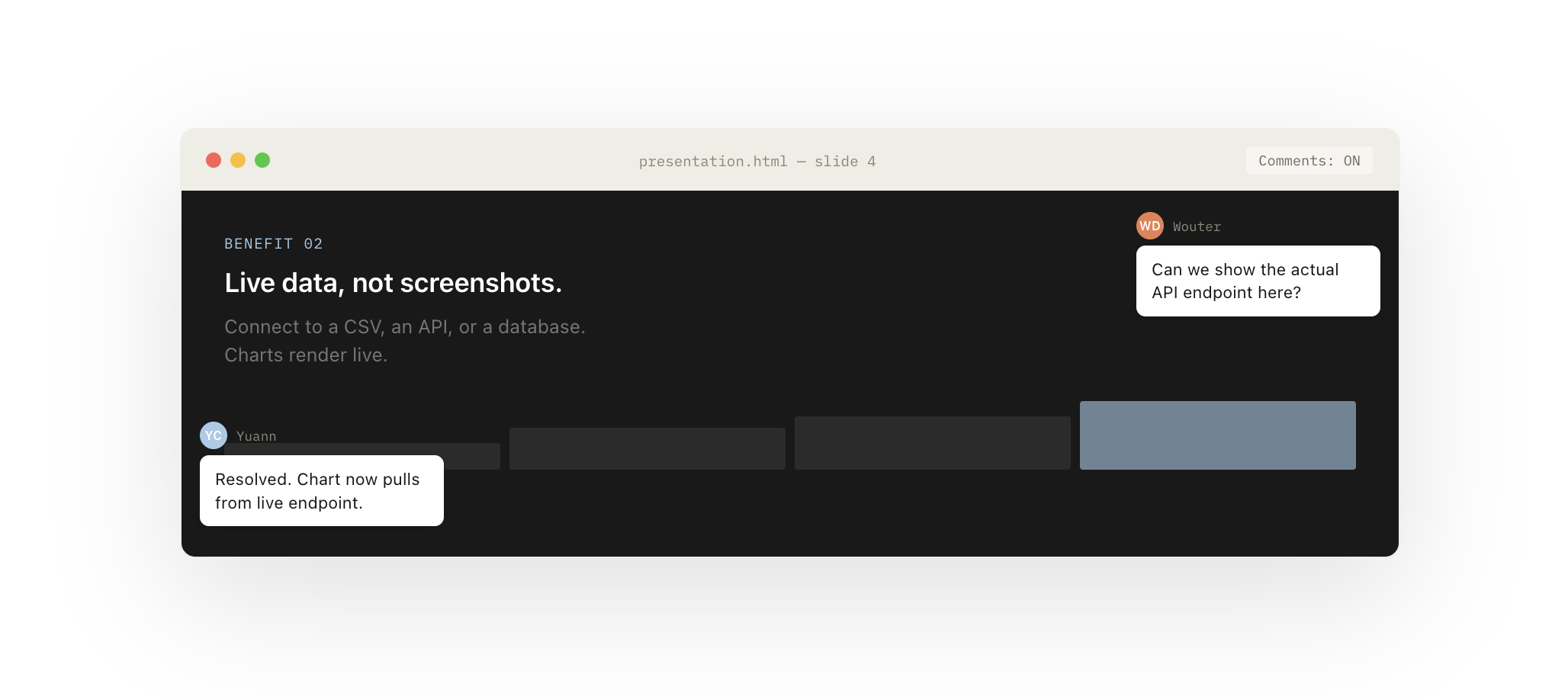
This approach doesn't match PowerPoint or Google Slides' real-time co-editing capabilities or slide-specific commenting features.
However, collaboration can be redefined. Since AI agents construct presentations, commenting workflows can be built into instructions, generating consistent, Figma-style comment bubbles directly on slides. Viewers toggle comments on/off without additional tools or accounts.
This differs from real-time co-editing but suits most presentation workflows adequately.
The Real Bottleneck Isn't the Tool
Surprisingly, HTML page generation presents minimal difficulty. Tools like Claude Code, Lovable, v0, and Gemini produce solid presentations within minutes, handling layout, animations, and polish effortlessly.
The actual challenge: every presentation needs narrative structure and clear framing — elements requiring thoughtful consideration that automation cannot bypass.
Beyond narrative, the genuine constraint involves knowledge organization. Scattered Google Docs, incomplete Notion pages, and email threads prevent AI assistance. Magic happens when content is structured: clear documents, consistent naming conventions, content readable by both humans and machines.
The real investment isn't learning new presentation tools — it's building knowledge systems worth connecting to.
Why This Matters Beyond Presentations
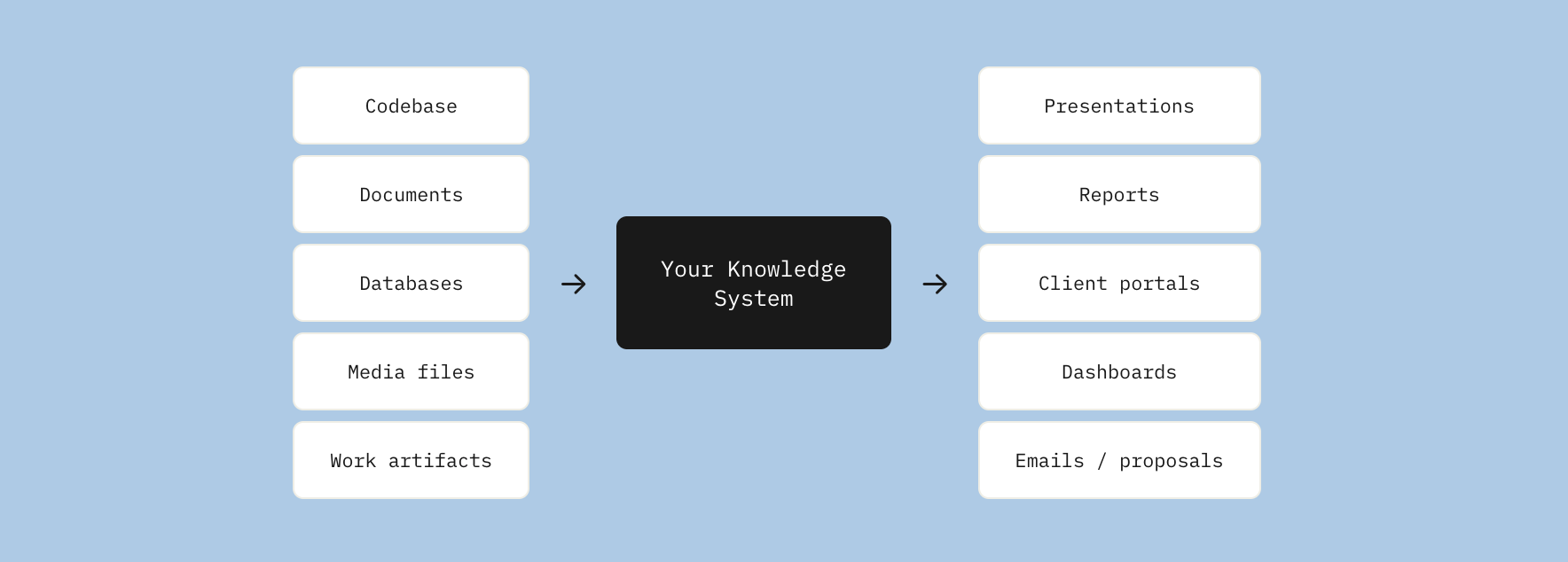
This reflects our development philosophy: when business knowledge lives in one well-structured location, possibilities expand.
Presentations become views on knowledge. Reports, client portals, dashboards, and internal wikis follow. Once a well-architected pipeline exists with content in accessible formats, knowledge becomes a working asset rather than dormant files.
One system. Many outputs.
Try It Yourself
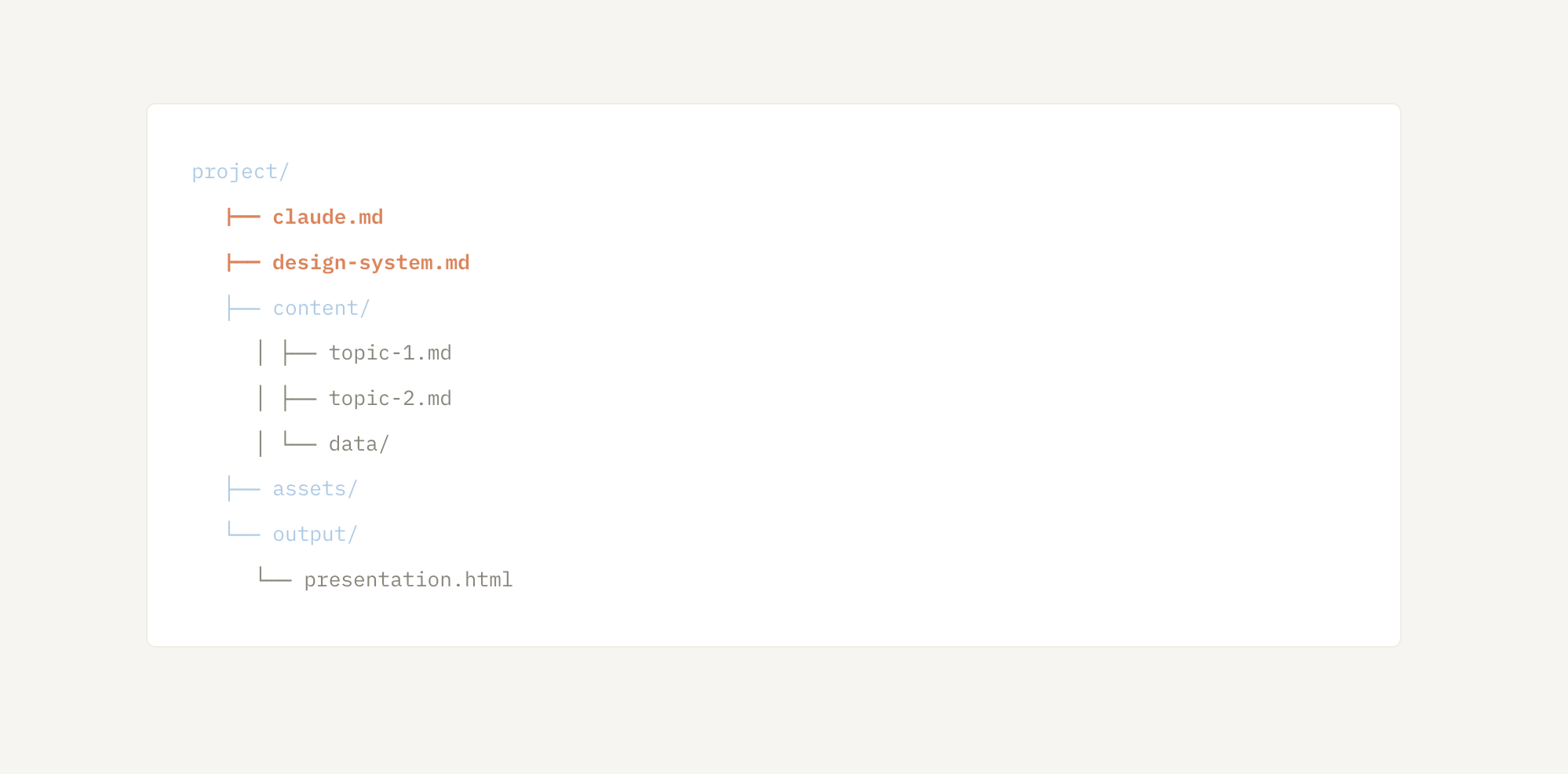
We built the actual presentation using this methodology and deployed it as a live demo. It features keyboard navigation, 16:9 PDF export, and downloadable starter templates from the final slide — including claude.md and design-system.md files for copying into any project.
Getting started:
- Add
claude.mdwith presentation instructions - Add
design-system.mdwith visual rules - Place content in a
content/folder (or use placeholder text) - Ask Claude Code: "Build a presentation from this project's content"
- Present in browser or export to 16:9 PDF
For full benefits, connect to your own knowledge base. The starter kit provides structure for immediate experimentation.